
You’re sitting in a lecture hall, trying to take notes while a dozen browser tabs hang open, your laptop fan sounds like it’s about to take off, and the battery is already down to twenty percent. Sound familiar? That moment when your laptop fights you instead of helping you is exactly when studying becomes exhausting.
Finding the best laptops for students in 2026 isn’t about chasing the latest specs or the flashiest design. It’s about finding something that actually fits student life — affordable enough that you don’t feel guilty, portable enough that you don’t dread carrying it to class, and reliable enough that it won’t die halfway through a study session or a group project.
This guide is built for students who want clarity, not confusion. Whether you’re writing papers, researching online, attending Zoom lectures, or collaborating on group assignments, each laptop here is chosen based on how it performs in real student scenarios. By the end, you’ll know exactly which laptop fits your study style, your workload, and your budget — without second-guessing.
🏆 Top Pick
Lenovo IdeaPad Slim 3 (16GB RAM, Ryzen 7) – Best Overall Laptop for Students Who Multitask
Some students just browse and write papers. Others have fifteen tabs open, Spotify playing, a PDF open, and Zoom running in the background while trying to finish an assignment. The Lenovo IdeaPad Slim 3 is built for the second group.
It handles research-heavy multitasking without breaking a sweat. The Ryzen 7 processor keeps things moving smoothly, and the 16GB of RAM means you can keep everything open without that dreaded lag. It’s not the flashiest laptop on campus, but it quietly supports your productivity day after day — and for students, that’s exactly what matters.
If you want one option that makes studying easier without overthinking specs, this is the one to go for.
📊 Comparison Table
| Product | Key Feature | Best For | Action |
|---|---|---|---|
| Lenovo IdeaPad Slim 3 | Ryzen 7 + 16GB RAM | Multitasking students | Check Price |
| HP 15.6″ Laptop | 16GB RAM + SSD | Everyday study use | Check Price |
| HP 15 Touch Ryzen 3 | Budget touchscreen | Basic coursework | Check Price |
| ASUS Vivobook Go 15 | Balanced performance | Daily assignments | Check Price |
| HP Flagship Ryzen 7 Laptop | Ryzen 7 power | Heavy study workloads | Check Price |
| Lenovo Business Laptop | Intel i5 performance | Productivity tasks | Check Price |
| Acer Aspire 3 | Lightweight design | Portability-focused students | Check Price |
| Lenovo V15 Gen 4 | Strong CPU | Office-style academic work | Check Price |
| HP Ultrabook 14 | Compact + Office bundle | Students needing software | Check Price |
| Acer Aspire Go 15 | Budget AI-ready | Entry-level users | Check Price |
Lenovo IdeaPad Slim 3 – Best All-Rounder for Serious Study Sessions
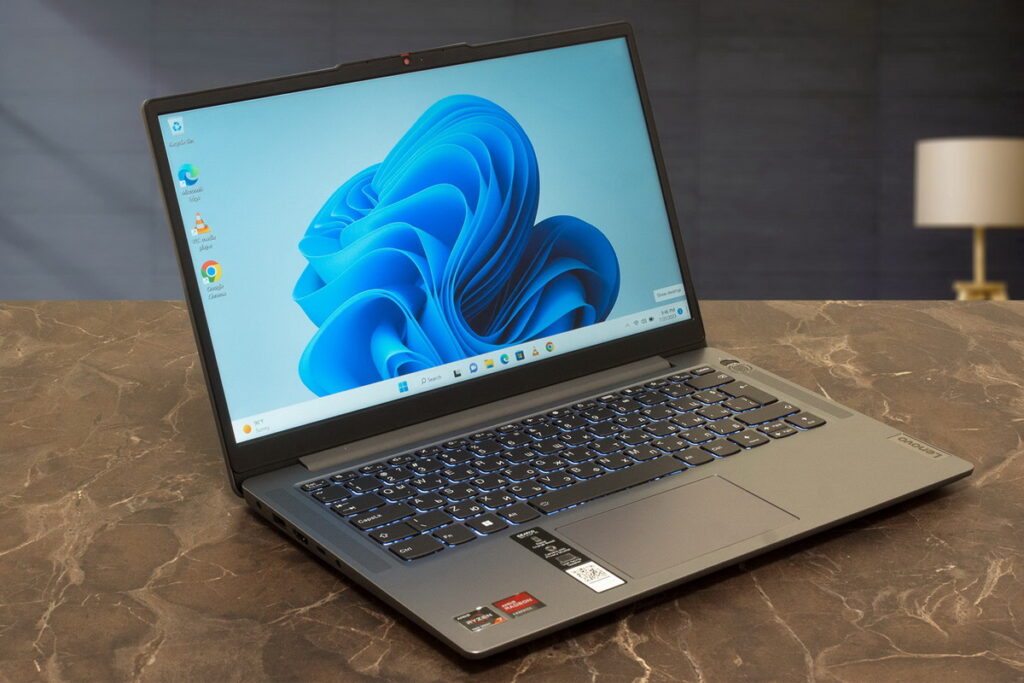
Overview
Picture this. You’re in a library during finals week. You have a research paper open, ten browser tabs with sources, a PDF reader, Spotify for focus music, and a messaging app so your study group can reach you. On a weak laptop, that’s when everything freezes and you want to scream.
On the IdeaPad Slim 3, you barely notice the load. The Ryzen 7 processor and 16GB of RAM handle multitasking like it’s nothing. Applications open quickly, switching between tasks feels smooth, and you never get that sinking feeling when your laptop starts struggling right when you’re in the zone.
It’s not trying to impress anyone with flashy features. It’s just a solid, dependable machine that doesn’t get in your way. For students who actually use their laptop hard — not just for Netflix — that reliability is worth everything.
Key Features
- AMD Ryzen 7 processor
- 16GB RAM
- 512GB SSD
- 15.6-inch Full HD display
- Lightweight design for campus carry
✅ PROS
- Handles multiple tabs and apps without slowing down – When you’re researching for a paper with dozens of sources open, the last thing you need is lag. This laptop keeps everything running smoothly even under heavy browser and app loads.
- Fast SSD ensures quick boot and file access – You’ll be logged in and working within seconds. Opening assignments, PDFs, and study materials happens instantly — no waiting around while your laptop catches up.
- Reliable for both study and light creative work – Need to edit a quick video for a class project or touch up photos for a presentation? This laptop has enough power to handle light creative tasks without complaining.
❌ CONS
- Battery life is average compared to premium laptops – You’ll get through a full day of classes, but you’ll want to charge it overnight. If you have back-to-back classes without outlets, bring a charger or a power bank.
- Not designed for gaming or heavy video editing – This is a study laptop, not a gaming rig. If you want to play demanding games or render 4K video, you’ll need something with a dedicated GPU.
🎯 Best For
College students juggling multiple classes, research projects, and group assignments – If your workload is genuinely heavy and you need a laptop that can keep up, this is your sweet spot.
Graduate students and anyone writing a thesis or dissertation – You’ll have hundreds of tabs, PDFs, and documents open at once. The 16GB of RAM makes that possible without daily frustration.
Students who want a laptop that will last through graduation – The specs are strong enough that this laptop won’t feel obsolete after two years. Buy it as a freshman, and it’ll still serve you well as a senior.
🧠 Why We Recommend It
The IdeaPad Slim 3 removes lag and frustration from studying. Instead of fighting your laptop while you’re trying to focus, you just work — and the laptop quietly handles everything in the background.
If you’re a serious student who actually uses their laptop for serious work, this is one of the smartest investments you can make.
If this matches your needs, there’s no reason to keep searching.
HP 15.6″ Laptop with 16GB RAM – Best for Everyday Study and Assignments
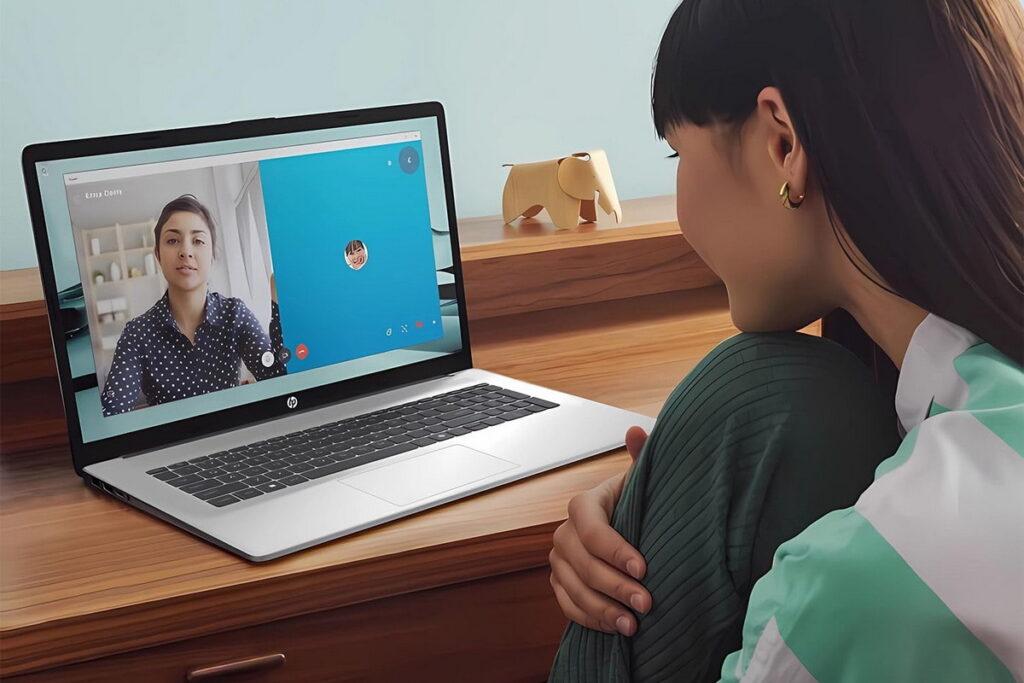
Overview
Not every student needs a powerhouse. Some students just need a laptop that works reliably for the basics — writing papers, attending online classes, doing research, and maybe streaming a movie at the end of the night.
The HP 15.6″ laptop fits that description perfectly. The 16GB of RAM ensures smooth performance for everyday student tasks, and the SSD means it boots quickly and opens apps without waiting. It’s lightweight enough to toss in a backpack and carry between classes without feeling like you’re hauling bricks.
It’s not exciting. It doesn’t have fancy features. But for students who want something dependable that won’t break the bank, this laptop quietly does its job day after day. And honestly, that’s what most students actually need.
Key Features
- 16GB RAM
- 512GB SSD
- 15.6-inch Full HD display
- Lightweight design
- Wi-Fi 6 for fast connectivity
✅ PROS
- Smooth performance for everyday study tasks – Writing papers, researching online, checking email, attending Zoom lectures — all the daily stuff runs smoothly without frustration or lag.
- Lightweight build makes campus carry easy – You’ll be walking across campus multiple times a day. A heavy laptop gets old fast. This one is light enough that you won’t dread putting it in your bag.
- Good storage for assignments, files, and media – 512GB gives you plenty of room for all your course materials, downloaded readings, and personal files without constantly deleting things to free up space.
❌ CONS
- Not ideal for demanding creative software – If you’re a design student running Photoshop, Illustrator, or video editing software, this laptop will struggle. Look for something with a dedicated GPU and more processing power.
- Basic display quality – The screen is fine for reading and writing, but it’s not vibrant or color-accurate. If you’re sensitive to display quality or do visual work, you might notice the limitations.
🎯 Best For
Undergraduate students with standard academic needs – Writing, research, online classes, and light productivity. Nothing too demanding, just solid reliable performance.
Students on a moderate budget – You don’t need to spend $1,000+ to get a solid student laptop. This delivers excellent value without cutting corners on the essentials.
Commuter students – The lightweight design makes it easy to carry back and forth, and the performance is reliable enough for whatever your day throws at you.
🧠 Why We Recommend It
The HP 15.6″ covers all the essential student needs without unnecessary complexity or cost. It’s not flashy, but it’s dependable — and for students juggling classes, work, and life, dependable matters more than exciting.
If you’re also comparing options for general use beyond studies, you might find this helpful: Best Laptops for 2026: Top Picks for Every User.
HP 15 Touchscreen Ryzen 3 – Best Budget Touchscreen Laptop for Students
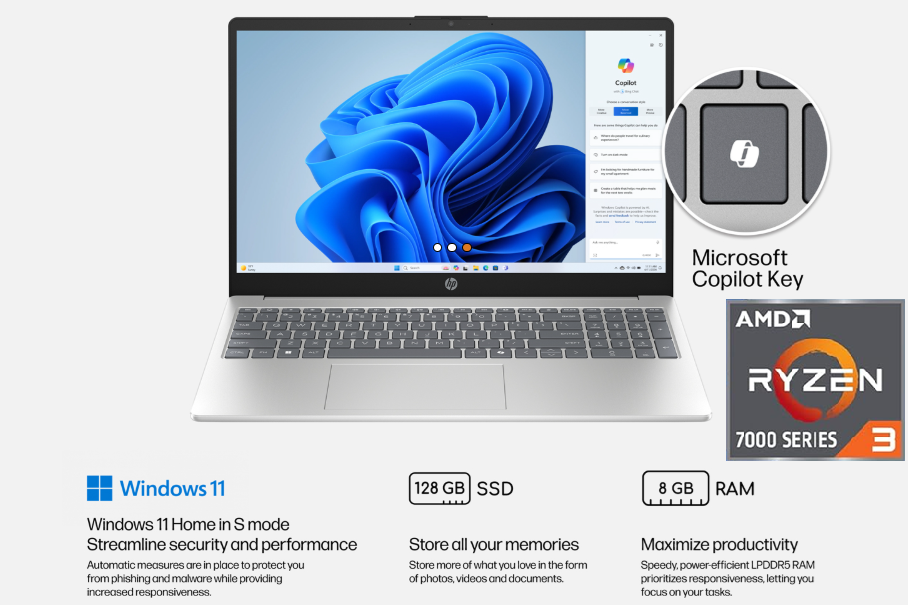
Overview
Some students love the convenience of a touchscreen. Scrolling through long readings feels natural. Zooming into diagrams and charts is instant. Navigating Canvas or Blackboard with a tap instead of a trackpad click just feels faster.
The HP 15 Touchscreen Ryzen 3 gives you that experience without costing a fortune. The Ryzen 3 processor handles basic academic work — writing papers, browsing, streaming lectures — without drama. The touchscreen adds a layer of convenience that makes everyday studying feel more fluid.
It’s not built for heavy multitasking or demanding software. But for students whose needs are basic — and who want the interactivity of a touchscreen — this laptop delivers solid value at a price that won’t make you wince.
Key Features
- AMD Ryzen 3 processor
- Touchscreen display
- 8GB RAM
- 128GB SSD
- Lightweight portable design
✅ PROS
- Touchscreen makes studying and browsing more convenient – Scrolling through long articles, zooming into images, tapping links instead of precise trackpad aiming — once you get used to touch, going back feels clunky.
- Affordable option for tight budgets – Not every student can spend $800 on a laptop. This one gets you a capable machine with a touchscreen for significantly less.
- Lightweight and easy to carry – Toss it in your backpack and go. You won’t notice the weight, even on days when you’re crossing campus multiple times.
❌ CONS
- Limited power for multitasking – Try to keep fifteen tabs open while running Spotify and Zoom, and you’ll feel the limits. This is for lighter workloads, not heavy research sessions.
- Not ideal for heavy applications – Design software, video editing, programming environments — anything demanding will struggle. Stick to basic academic tasks, and you’ll be fine.
🎯 Best For
Students who prioritize touchscreen convenience – If you love tapping, scrolling, and zooming directly on the screen, this laptop gives you that experience at a budget price.
Students with very tight budgets – You need a laptop for classes, but you can’t spend a lot. This gets you a functional machine without emptying your bank account.
First-year students just getting started – You don’t know exactly what you’ll need yet. This affordable option lets you get through your first year while you figure out if you need something more powerful later.
🧠 Why We Recommend It
The HP 15 Touchscreen delivers a simple, affordable study experience without unnecessary extras. It does what it promises — basic academic work with touchscreen convenience — at a price that respects your budget.
If you want a touchscreen laptop for classes without spending a lot, this is a smart, practical choice.
If you’re building a complete study setup or upgrading your essentials, this is a great point to check what fits your needs best.
ASUS Vivobook Go 15 – Best Balanced Laptop for Daily Student Use
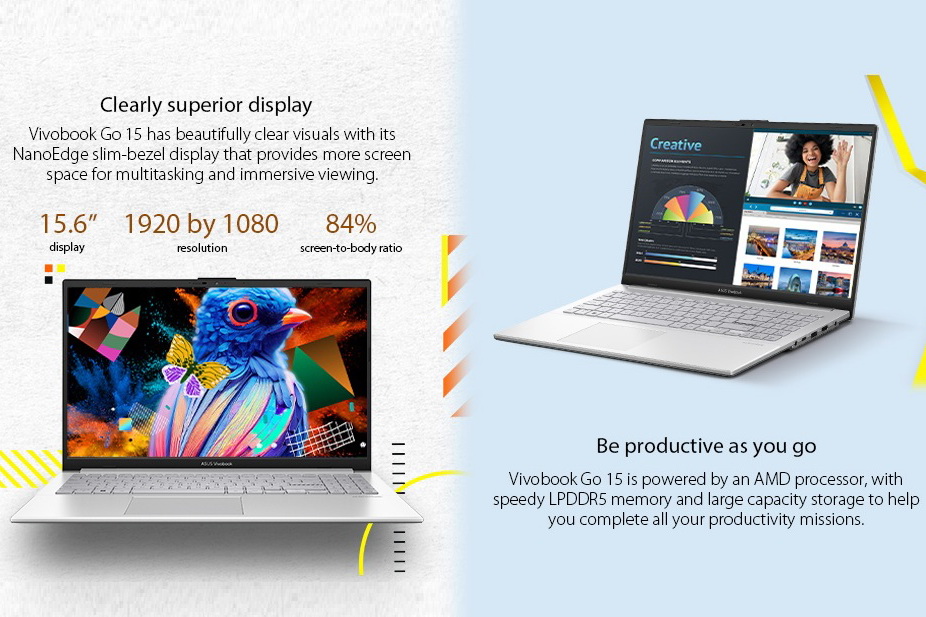
Overview
Sometimes you just need a laptop that does everything reasonably well. Not amazing at any one thing, but not bad at anything either. Just… balanced.
The ASUS Vivobook Go 15 is that laptop. It handles assignments, browsing, video calls, and streaming without complaints. The Ryzen 3 processor and 8GB of RAM are enough for daily student workloads. The battery lasts through a typical day of classes. It’s lightweight enough to carry without thinking about it.
It won’t impress anyone. But it also won’t disappoint anyone. For students who want a simple, reliable laptop that just works, that kind of predictability is exactly what you need.
Key Features
- AMD Ryzen 3 processor
- 8GB RAM
- 256GB SSD
- 15.6-inch Full HD display
- Fast charging support
✅ PROS
- Reliable performance for everyday tasks – Writing, researching, email, streaming — all the daily stuff runs smoothly. No surprises, no frustrations, just consistent performance.
- Comfortable keyboard for long typing sessions – If you write a lot of papers, you’ll appreciate a keyboard that feels good. The Vivobook’s keyboard has decent travel and a comfortable layout for extended typing.
- Good battery support for daily use – You’ll make it through a full day of classes without scrambling for an outlet. It’s not all-day endurance, but it’s enough.
❌ CONS
- Not suitable for demanding workloads – Heavy multitasking, programming, data analysis, video editing — push this laptop hard, and you’ll feel the limits.
- Average display brightness – Working near a window or outside on a sunny day? The screen can feel dim. Indoors, it’s fine. But bright environments expose its limitations.
🎯 Best For
Students who want a simple, no-drama laptop – You don’t care about specs or features. You just want something that works for classes, reliably, without costing too much.
Humanities and social science students – Your workload is mostly reading, writing, and research. You don’t need a powerful machine. You need something comfortable and dependable.
Students who prioritize value over flash – The Vivobook isn’t exciting, but it delivers solid performance for the price. That value-focused approach makes sense for budget-conscious students.
🧠 Why We Recommend It
The ASUS Vivobook Go 15 delivers consistency without complicating things. It’s not the best laptop you can buy, but it’s a good laptop — and for many students, “good enough, reliably” is exactly what you need.
HP Flagship Ryzen 7 Laptop – Best for Heavy Academic Workloads
Overview
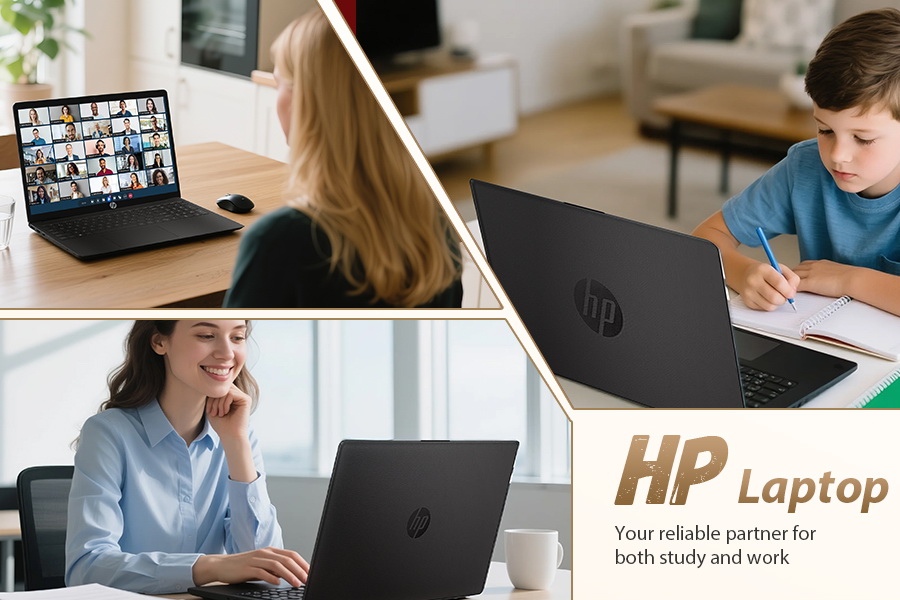
Some students have heavy workloads. Engineering students running CAD. Computer science students compiling code and running virtual machines. Data science students working with large datasets. Business students running complex spreadsheets and models.
For these students, a basic laptop won’t cut it. You need real performance — enough headroom to handle demanding tasks without slowing down.
The HP Flagship Ryzen 7 delivers that performance. The Ryzen 7 processor and 16GB of RAM handle multiple applications, large files, and demanding tasks without breaking a sweat. It’s built for students who actually push their laptops hard — and who refuse to be held back by slow hardware.
Key Features
- AMD Ryzen 7 processor
- 16GB RAM
- 512GB SSD
- Full HD display
- Wi-Fi 6 connectivity
✅ PROS
- Strong performance for demanding academic tasks – CAD software, programming environments, data analysis tools — anything your coursework throws at you, this laptop handles it without slowing you down.
- Smooth multitasking with large workloads – You can run a virtual machine, have twenty tabs open, compile code, and still keep your music playing without a hiccup. That kind of headroom matters when you’re in the zone.
- Reliable for long-term use – The specs are strong enough that this laptop won’t feel outdated after two years. It’ll carry you through your entire degree without becoming a bottleneck.
❌ CONS
- Slightly more expensive than basic laptops – You’re paying for performance. If you don’t need the extra power, you can save money elsewhere. But if you do need it, the extra cost is worth it.
- Not very lightweight – This is a performance machine, not an ultraportable. You’ll feel it in your bag, especially compared to smaller, lighter student laptops.
🎯 Best For
Engineering, CS, and data science students – Your coursework involves demanding software. You need a laptop that can keep up. This one does.
Students who multitask heavily – If you always have dozens of tabs, multiple apps, and background processes running, the extra RAM and processor power make a huge difference in daily smoothness.
Students who want future-proof performance – Buying something stronger than you need today means it’ll still feel fast when you’re a senior. That’s a smart long-term strategy.
🧠 Why We Recommend It
The HP Flagship Ryzen 7 gives you headroom for more advanced work without needing to upgrade soon. If your coursework is demanding — or if you just hate waiting for your laptop to catch up — this extra performance pays off every single day.
Lenovo Business Laptop Intel i5 – Best Productivity Laptop for Students
Overview
Some students approach their studies like a job. They treat assignments like deliverables, deadlines like sprints, and organization like project management. For these students, a “business” laptop actually makes a lot of sense.
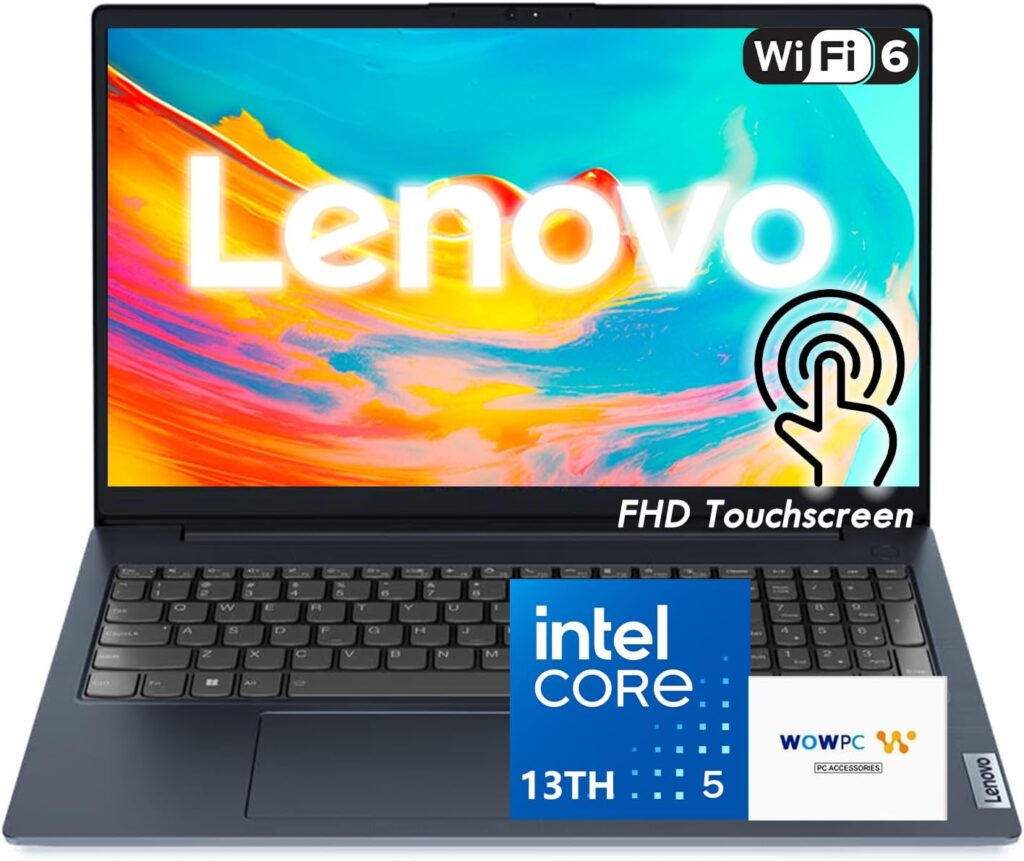
The Lenovo Business Laptop with Intel i5 is built for productivity. It feels fast when working with documents, spreadsheets, and presentations. The Intel i5 processor and 16GB of RAM handle multitasking smoothly. The keyboard is comfortable for long typing sessions.
It’s not flashy. The design is functional, not fashionable. But for students who prioritize getting work done efficiently, that functionality is exactly what matters.
Key Features
- Intel Core i5 processor
- 16GB RAM
- 512GB SSD
- 15-inch Full HD display
- Professional, durable build
✅ PROS
- Fast performance for productivity tasks – Documents open instantly, spreadsheets calculate quickly, and switching between apps feels snappy. That speed adds up over a long study session.
- Reliable for multitasking – You can keep research tabs open while writing a paper while listening to music, and everything stays responsive. No waiting, no frustration.
- Professional feel with durable build – This laptop feels solid. The hinge is sturdy, the keyboard doesn’t flex, and the chassis doesn’t creak. It’s built to last through daily use.
❌ CONS
- Not ideal for gaming or creative tasks – If you want to game or do video editing, this isn’t the right choice. Integrated graphics have limits, and you’ll feel them.
- Average design that won’t turn heads – This is a functional machine, not a fashionable one. If aesthetics matter to you, there are prettier options. If you just want to get work done, that’s fine.
🎯 Best For
Students who treat studying like a job – You’re organized, focused, and want a laptop that supports your productivity without distractions.
Business, economics, and pre-law students – Your work revolves around documents, spreadsheets, presentations, and research. This laptop is optimized for exactly those tasks.
Students who prioritize keyboard comfort – You write a lot of papers. A comfortable keyboard makes a real difference in your daily experience.
🧠 Why We Recommend It
The Lenovo Business Laptop keeps things smooth and efficient for academic productivity. If your student life revolves around getting work done efficiently — not gaming, not creative projects, just work — this laptop supports that mission perfectly.
Acer Aspire 3 – Best Lightweight Laptop for Portability
Overview
For some students, portability is everything. You’re walking across campus multiple times a day. You study in different libraries, coffee shops, and common areas. You’re always moving, and your laptop goes with you everywhere.
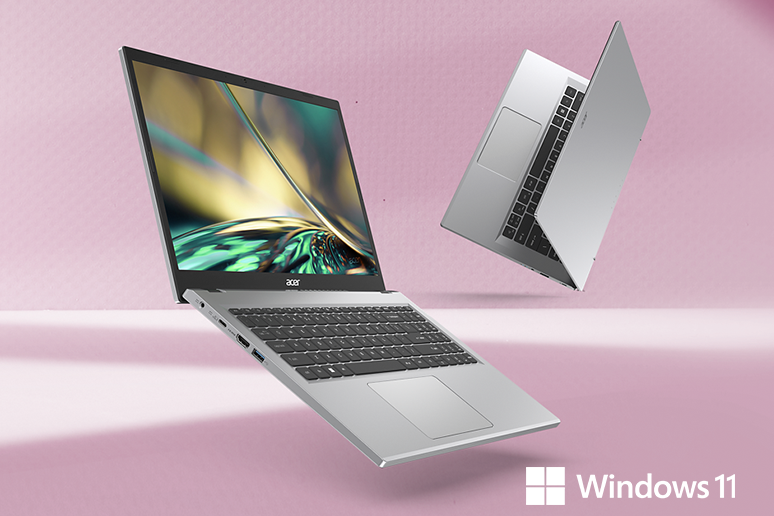
The Acer Aspire 3 prioritizes portability. It’s lightweight enough that you barely notice it in your bag. The Ryzen 3 processor and 8GB of RAM handle basic tasks — browsing, writing papers, checking email — without issues.
It’s not powerful. It won’t impress anyone. But for students whose priority is mobility — who want a laptop that disappears until you need it — the Aspire 3 delivers exactly that.
Key Features
- Lightweight, portable design
- AMD Ryzen 3 processor
- 8GB RAM
- 15-inch display
- Simple, functional build
✅ PROS
- Easy to carry all day – Cross campus multiple times? No problem. This laptop is light enough that you won’t dread putting it in your bag every morning.
- Good for basic academic tasks – Writing, browsing, email, streaming lectures — all the fundamentals work reliably. Nothing fancy, but nothing broken either.
- Simple and reliable – There’s no learning curve, no weird features, no complexity. Open it, do your work, close it. That’s it.
❌ CONS
- Limited storage (128GB) – You’ll need to use cloud storage or external drives if you have lots of files. 128GB fills up faster than you’d expect, especially with course materials.
- Not powerful for multitasking – Keep your tab count reasonable. Once you have too many things open, you’ll feel the laptop struggling to keep up.
🎯 Best For
Students who prioritize portability above all else – You’re always moving. You want a laptop that’s easy to carry, even if it means sacrificing some performance.
Students with very basic workloads – You write papers, browse the web, check email, and stream lectures. Nothing demanding. This laptop handles all of that comfortably.
Students who need a secondary laptop – If you already have a powerful desktop at home and just need something to bring to class, this lightweight option fits that role perfectly.
🧠 Why We Recommend It
The Acer Aspire 3 is a practical option for light workloads and maximum mobility. If your needs are simple and your priority is not carrying a heavy laptop across campus all day, this gets the job done without weighing you down.
Lenovo V15 Gen 4 – Best for Office-Style Academic Work
Overview
Some academic work is structured like office work. Reports, spreadsheets, presentations, data entry. Not creative. Not chaotic. Just organized, task-focused, productivity-driven.
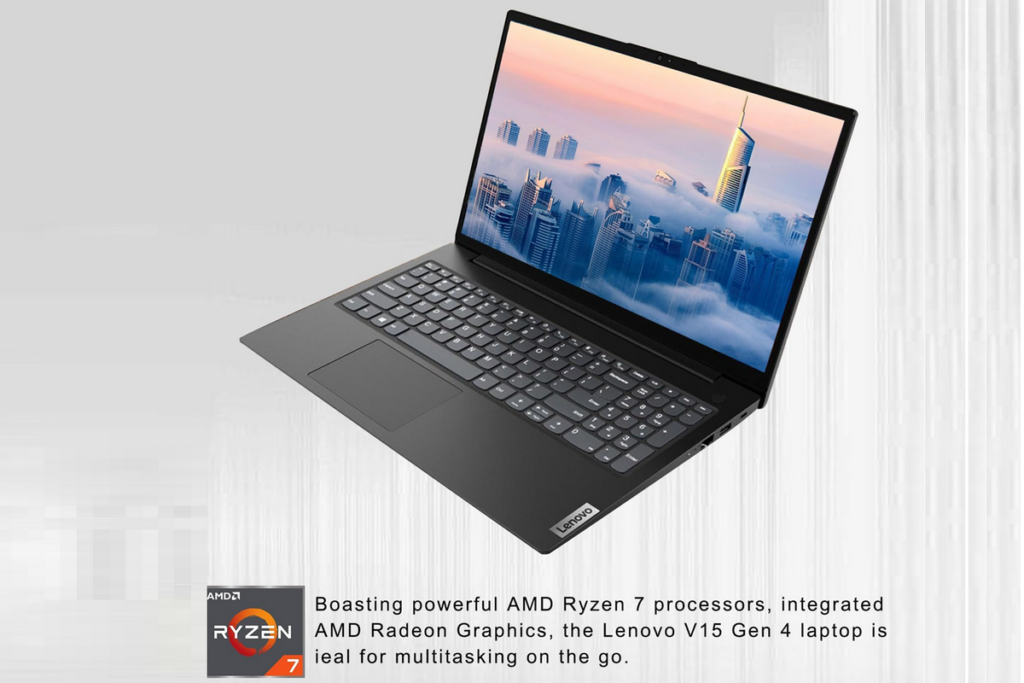
The Lenovo V15 Gen 4 is built for that kind of work. The Intel i5 processor and 16GB of RAM deliver fast performance for office-style tasks. The keyboard is comfortable for extended typing. The build is durable and no-nonsense.
It’s not exciting. It’s not pretty. But for students who approach their coursework like a professional approaches their job — with organization, efficiency, and focus — this laptop fits that mindset perfectly.
Key Features
- Intel Core i5 processor
- 16GB RAM
- 512GB SSD
- 15-inch Full HD display
- Durable business-class build
✅ PROS
- Strong performance for office-style tasks – Spreadsheets, documents, presentations, research — all the structured work that makes up a lot of academic life runs fast and smoothly.
- Reliable multitasking for productivity – Keep your research open while writing your paper while checking sources. The laptop keeps everything responsive.
- Durable design for daily carry – This laptop feels tough. The hinge is solid, the chassis doesn’t flex, and it’s built to survive being carried around campus daily.
❌ CONS
- Not ideal for entertainment or gaming – The display is functional but not vibrant. The speakers are average. This is a work machine, not a play machine.
- Slightly bulky compared to ultrabooks – It’s not huge, but it’s not super slim either. You’ll notice it in your bag more than you would a premium ultrabook.
🎯 Best For
Students who treat academics like a job – You’re organized, deadline-driven, and you want a laptop that supports efficient work without distractions.
Business, accounting, and pre-law students – Your work revolves around spreadsheets, documents, and research. Professional productivity is your priority.
Students who type constantly – You write a lot of papers. The comfortable keyboard makes those long writing sessions less fatiguing.
🧠 Why We Recommend It
The Lenovo V15 is dependable for serious academic productivity. If your student life is structured and work-focused — like a professional job — this laptop supports that approach without getting in your way.
HP Ultrabook 14 – Best Compact Laptop with Office Bundle
Overview
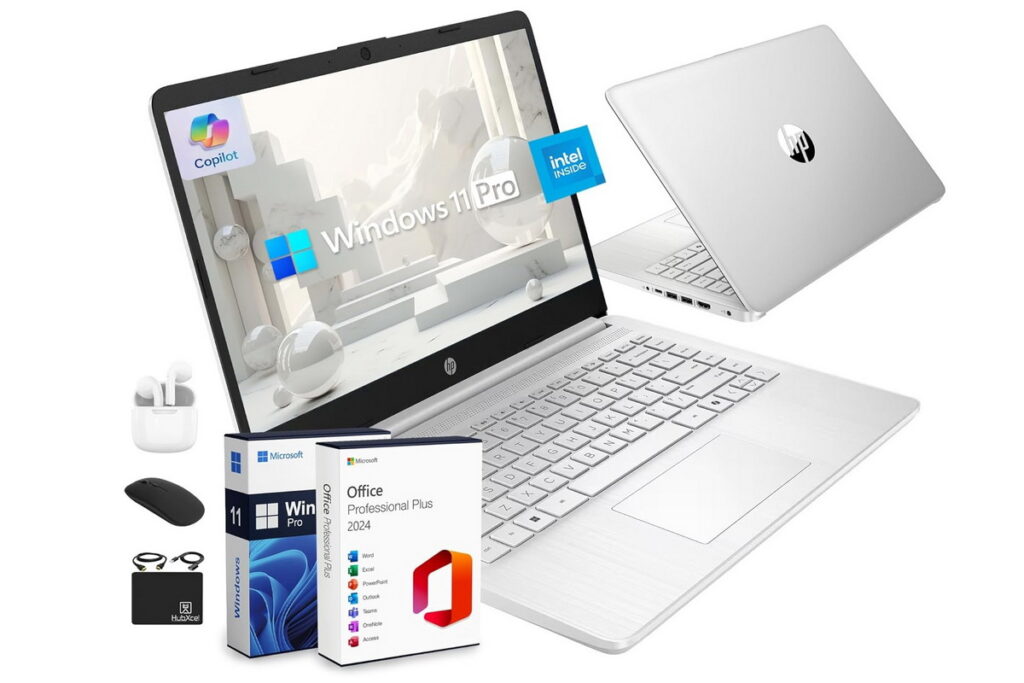
Some students want everything ready to go out of the box. No hunting for software deals. No subscriptions to figure out. Just open the laptop and start working.
The HP Ultrabook 14 comes with an Office bundle included, which means you get Word, Excel, PowerPoint, and other essentials without paying extra. That convenience alone saves you time and money.
Beyond the software, it’s a solid compact laptop. The 14-inch display strikes a nice balance between portability and usability. The 16GB of RAM keeps multitasking smooth. And the compact design makes it easy to carry to class.
For students who want convenience and productivity in one package, this laptop delivers.
Key Features
- 16GB RAM
- Office bundle included
- 14-inch compact display
- Lightweight, portable design
- SSD storage
✅ PROS
- Great for study and office work – The included Office suite means you’re ready to write papers, build presentations, and manage spreadsheets on day one.
- Comes with useful accessories and software – The bundle saves you money compared to buying Office separately. That’s real value for students on a budget.
- Smooth multitasking with 16GB RAM – Keep multiple tabs and apps open without slowdowns. That headroom makes a difference during busy study sessions.
❌ CONS
- Smaller display than standard laptops – 14 inches is fine for portability, but if you prefer a larger screen for split windows or long reading sessions, you might find it cramped.
- Not for gaming or demanding creative work – This is a productivity laptop, not a gaming or creative machine. Keep your expectations realistic.
🎯 Best For
Students who want a complete setup without extra purchases – Everything you need comes in the box. Open it, set it up, and start working. No hunting for software deals.
Students who value portability – The 14-inch display makes this laptop smaller and lighter than 15-inch models. It’s easier to carry and fits better on small classroom desks.
Students who primarily use Microsoft Office – If your coursework relies heavily on Word, Excel, and PowerPoint, having Office included is genuinely convenient.
🧠 Why We Recommend It
The HP Ultrabook simplifies the entire setup process. Instead of spending hours finding software and configuring everything, you get a ready-to-use productivity machine out of the box. For students who just want to start working, that convenience is hard to beat.
Acer Aspire Go 15 – Best Entry-Level Laptop for Beginners
Overview
Not every student needs a powerful laptop. Some students are just starting out — first-year students, high school students taking college courses, or adult learners returning to school after years away. You need something simple, affordable, and functional.
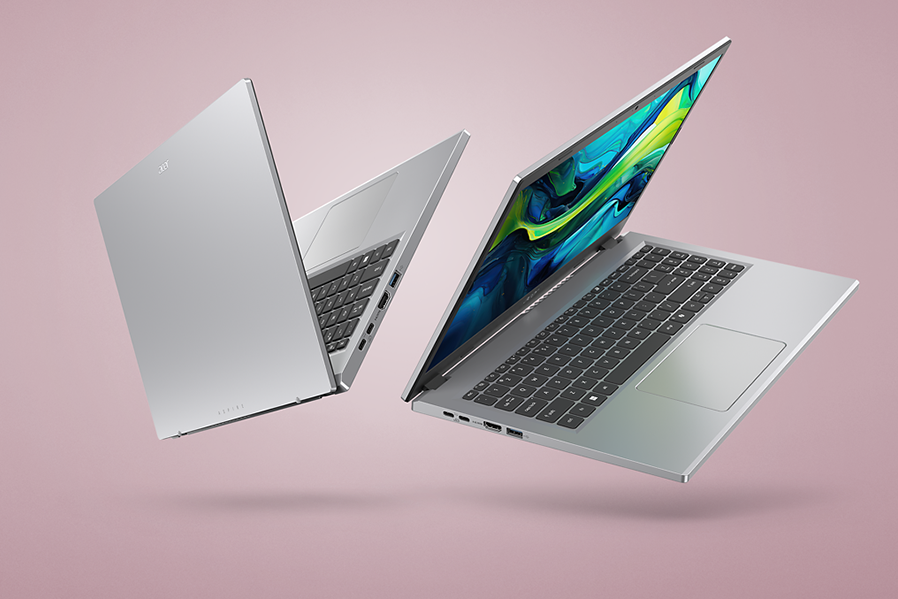
The Acer Aspire Go 15 is exactly that. The Intel Core 3 processor and 8GB of RAM handle basic tasks without complications. The 15-inch display is big enough to work comfortably. And the price is accessible for tight budgets.
It’s not fast. The storage is limited. You can’t multitask heavily. But for students who just need to write papers, check email, browse the web, and attend online classes, this laptop does all of that without costing a fortune.
Key Features
- Intel Core 3 processor
- 8GB RAM
- 128GB storage
- 15-inch display
- Budget-friendly price
✅ PROS
- Affordable entry-level option – You don’t need to spend a lot to get started. This laptop gets you into the game at the lowest possible price point.
- Easy to use with no learning curve – It’s a straightforward Windows laptop. Nothing fancy, nothing confusing. Open it and start working.
- Lightweight and portable – You can carry it to class without thinking about the weight. That’s valuable when you’re already carrying books and supplies.
❌ CONS
- Limited storage (128GB) – You’ll run out of space faster than you expect. Plan to use cloud storage or an external drive for files and media.
- Limited performance for anything beyond basics – Keep your expectations realistic. This is for light workloads only. Heavy multitasking or demanding apps will be frustrating.
- Not future-proof – This laptop works fine now for basic needs. But as software gets more demanding over the next couple of years, it will feel increasingly slow.
🎯 Best For
First-year students on a tight budget – You need something to get through your first year. This affordable option lets you do that without financial stress.
High school students taking college courses – Your needs are basic, and you probably don’t want to spend a lot. This laptop fits that profile perfectly.
Adult learners returning to school – You might already have a family desktop or another device. This is an affordable secondary laptop for coursework.
🧠 Why We Recommend It
The Acer Aspire Go 15 provides a starting point without unnecessary cost. If your needs are genuinely basic and your budget is genuinely tight, this laptop meets you where you are and lets you get started without financial stress.
If this is all you need, it’s a simple and effective choice.
If you want a deeper understanding of what specs actually matter before buying, check this guide: How to Choose the Right Laptop: A Complete Buyer’s Guide.
Buying Guide: How to Choose a Student Laptop
When buying a laptop for student life, ignore the marketing hype and focus on what actually affects your daily experience.
RAM is your first priority. For basic use like writing papers and browsing, 8GB is enough. But if you multitask — and most students do — 16GB makes a huge difference in smoothness. The extra cost is worth it.
Storage should always be SSD. Never buy a laptop with a mechanical hard drive in 2026. SSD makes everything faster — booting, opening apps, loading files. 256GB is tight but workable with cloud storage. 512GB is the sweet spot for most students.
Battery life matters more than you think. A laptop that dies halfway through your afternoon classes is a constant source of stress. Look for laptops rated at 8+ hours of real-world battery life, and read reviews that test battery under actual workloads.
Portability affects your daily life. Lighter laptops are easier to carry across campus every single day. If you commute or walk between buildings, prioritize weight. If you mostly work from your dorm room, weight matters less.
Build quality saves money long-term. A cheap laptop that falls apart after a year costs more than a slightly more expensive laptop that lasts four years. Read reviews that mention hinge quality, keyboard flex, and chassis durability.
Think long-term. Buying slightly better specs than you need today — more RAM, bigger SSD, better processor — means the laptop will still feel fast when you’re a senior. That future-proofing is often worth the extra upfront cost.
FAQs
What is the best laptop for students in 2026?
The Lenovo IdeaPad Slim 3 stands out for its balance of performance, price, and usability. It handles heavy student workloads — research, multitasking, online classes — without breaking the bank. For most students, it’s the safest and smartest choice.
Is 8GB RAM enough for students?
Yes, for basic tasks like writing papers, browsing, and email. But for multitasking — keeping many tabs open, running multiple apps, or doing any creative work — 16GB is a much better experience. If you can afford the upgrade, take it.
Should students buy touchscreen laptops?
It depends. Touchscreens are genuinely useful for scrolling through long readings, zooming into diagrams, and navigating course websites. But they add cost and weight. If you love the convenience, it’s worth it. If you’re neutral, save your money.
Are budget laptops reliable for studying?
Yes, as long as your needs are genuinely basic. Budget laptops handle writing, browsing, email, and streaming lectures just fine. They struggle with heavy multitasking, demanding software, and large files. Match the laptop to your actual workload.
How much should a student spend on a laptop?
Most students get excellent value in the 500–800 range. Below $500, you make significant compromises on performance, storage or build quality. Above $500, you get diminishing returns unless you have demanding coursework like engineering or design.
Final Verdict
The best student laptop isn’t the most expensive — it’s the one that fits your study habits, your workload, and your budget.
If you want an all-rounder that handles heavy multitasking without stress, the Lenovo IdeaPad Slim 3 is the safest and smartest choice. It’s not flashy, but it’s dependable — and for students, dependability matters more than excitement.
For budget-conscious students, options like the HP 15 Touchscreen (if you want touch) or the Acer Aspire Go 15 (if you want the lowest price) work well for basic needs. Just keep your expectations realistic about what they can handle.
If your coursework is genuinely demanding — engineering, computer science, data science — invest in the HP Flagship Ryzen 7. The extra performance will save you frustration every single day.
For structured, productivity-focused students, the Lenovo Business Laptop or Lenovo V15 offer professional-grade performance for academic work.
Every laptop here is designed for a specific type of student. Instead of chasing the highest specs or the lowest price, choose based on how you actually study. The right laptop should disappear into your workflow — you shouldn’t have to think about it at all.
Check the latest prices and availability using the links above.
Other Articles
- Best MacBooks for 2026: Apple Laptops for Every User
- Best Gaming Laptops 2026
- Best Laptops for 2026: Top Picks for Every User
- How to Choose the Right Laptop: A Complete Buyer’s Guide
Disclosure: This article may contain affiliate links. If you purchase through these links, we may earn a commission at no additional cost to you.